

A business can issue electronic invoices every day and still be unprepared for Phase 2. Once the Zakat, Tax and Customs Authority (ZATCA) requires integration, the business must be able to send structured invoices and adjustment notes to the Fatoora platform, distinguish documents that need clearance from those that need reporting, and resolve failures without losing the transaction record. The Wave 25 announcement extends the rollout to taxpayers with VAT-taxable revenue above SAR 187,500 in any one of four specified years. Confirm your own integration date in ZATCA’s notice before setting the project timetable. [1–4]
This guide is for finance leads, business owners and implementation teams preparing to connect an invoicing system or review an existing connection. For VAT registration, returns and recovery, see Ayqan’s Saudi VAT compliance guide.
Verify whether your business is in Wave 25
Phase 1, which began on 4 December 2021, requires covered persons to generate and retain electronic invoices and notes using a compliant solution. Phase 2 started on 1 January 2023 and is being implemented in waves. The rules generally cover resident taxable persons and parties issuing tax invoices on behalf of covered suppliers. Non-resident taxable persons are excluded from the e-invoicing requirement. Confirm the status of the actual supplier, rather than inferring coverage from where its parent company or software vendor is based. [1, 3, 4]
For Wave 24, the selection criterion was VAT-taxable revenue above SAR 375,000 in 2022, 2023 or 2024, with the announced June 2026 integration date now past. ZATCA’s 24 July 2026 Wave 25 announcement uses VAT-taxable revenue above SAR 187,500 in 2022, 2023, 2024 or 2025. The English announcement gives 1 February 2027 as the integration deadline; the Arabic announcement describes the start of integration from that date. Use the date in your own ZATCA notice, and clarify any discrepancy directly with the authority. The new announcement does not extend an earlier notice. [1, 2]
Compare each year separately. For example, an already VAT-registered Saudi business with SAR 165,000 of VAT-taxable revenue in 2024 and SAR 210,000 in 2025 meets the published Wave 25 revenue criterion on the 2025 figure. The SAR 187,500 figure in the announcement is a wave selection criterion; it does not establish that a business with that turnover must register for VAT. Record the taxable person, the years checked, the revenue reconciliation and the notice date. If the threshold appears to apply and you cannot find the notice, check the taxpayer account and contact ZATCA. [1, 4]
Decide which documents need clearance or reporting
| Document | Normal Phase 2 treatment |
|---|---|
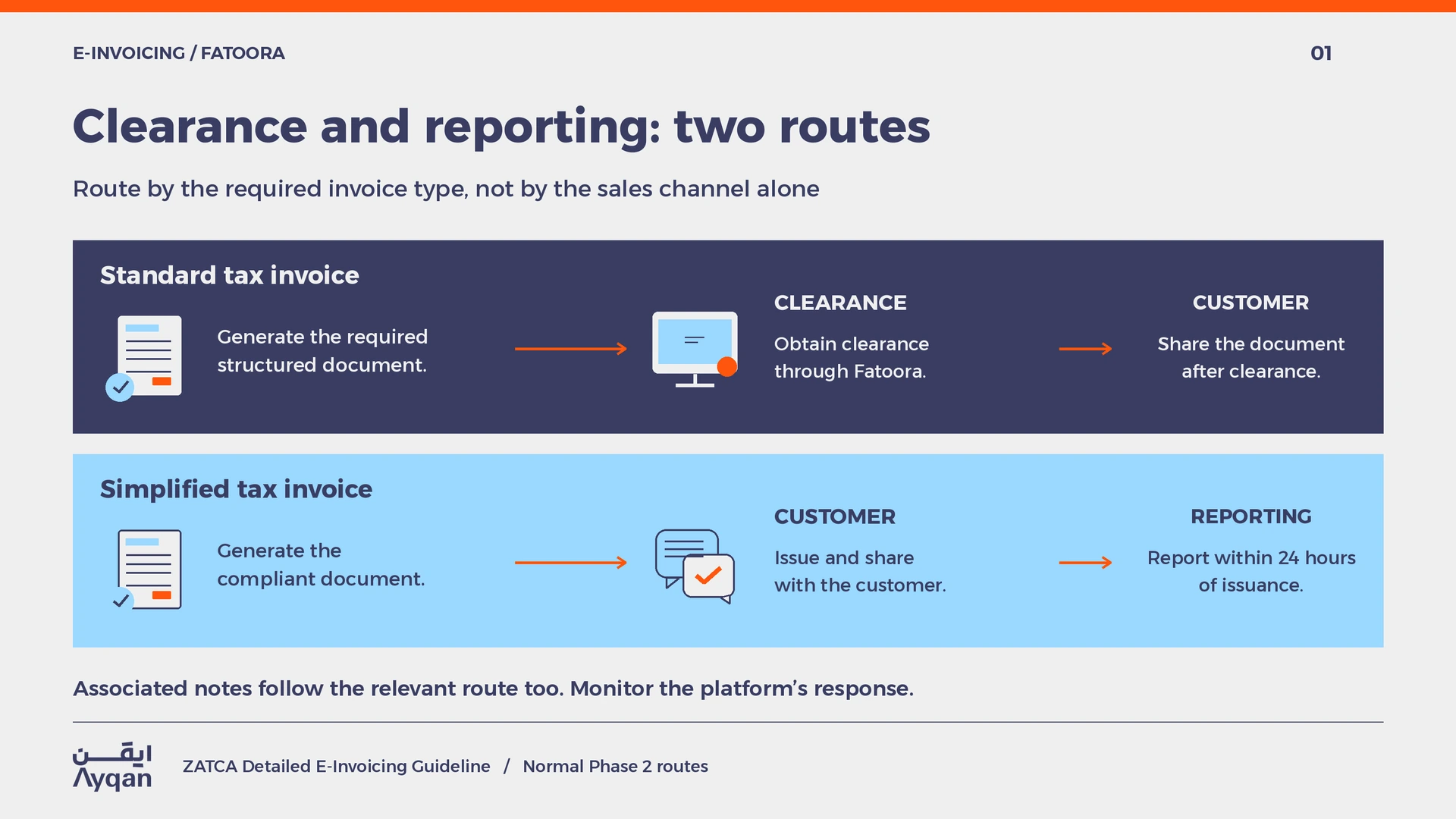
| Standard tax invoice and associated notes | Submit for clearance before sharing the cleared document with the customer. This is generally the route for business transactions requiring a standard tax invoice. |
| Simplified tax invoice and associated notes | Generate and issue the compliant document to the customer, then report it to Fatoora within 24 hours of issuance. This is generally the retail or consumer route. |
Build the routing decision around the invoice type required under the VAT Implementing Regulations, including Article 53, and the actual transaction. Avoid a shortcut based solely on the sales channel: a point of sale may handle sales to businesses as well as consumers. Define when staff must collect buyer details and who can correct a classification before issuance. Under ZATCA’s specifications the solution generates structured XML; a PDF/A-3 with embedded XML may be used where permitted. A PDF without that data does not satisfy the integration format by itself. Human-readable invoice fields must be in Arabic; a bilingual invoice can also include English. [3–5]
Example from a mixed sales operation
A supplier sells equipment to companies through its enterprise billing system and sells spare parts to consumers at two counters. For a transaction requiring a standard tax invoice, the billing system sends it for clearance before accounts receivable shares it with the customer. At the counters, simplified invoices are issued through the point of sale and reported within 24 hours. Finance should see two separate exception lists: standard documents awaiting clearance and issued simplified documents still awaiting successful reporting. A single count of documents marked sent can conceal either problem. [3, 5]
Prepare the integration before the notice date
Map every system that issues documents
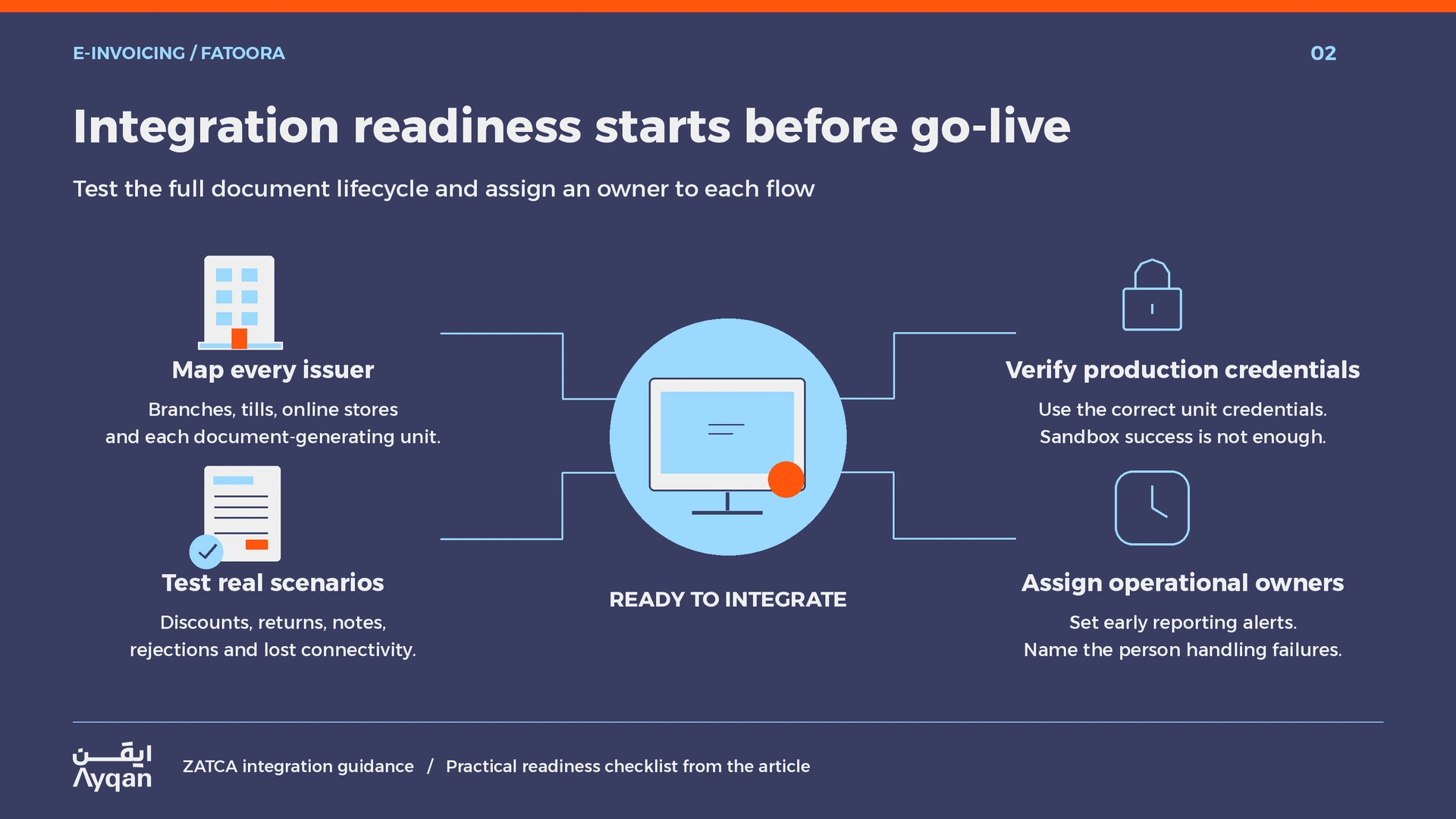
List the enterprise billing platform, points of sale, online store, branch tools and outsourced billing arrangements. For each, identify the supplier registration, document types and electronic invoice generation solution units that must be onboarded. Record who owns the configuration and credentials. If replacing a system, agree who is responsible for pending documents at cutover and how staff will retrieve the old records. Confirm that the vendor contract covers access to transaction logs, support for failed submissions and export of retained files. [3, 5]
Test the full document lifecycle
Use the ZATCA test resources and follow the applicable onboarding checks for the solution units. Confirm that the production credentials, including the relevant cryptographic stamp identifier, or CSID, are configured for the correct units. Sandbox success is useful evidence of a test, but it does not establish that the production credentials, customer master data or store configuration are correct. [5]
Test real business scenarios as well as ordinary invoices. Include an invoice with a discount, a return that requires a credit note, a debit note where applicable, an invalid customer field, a loss of connectivity and a submission with no confirmed response. Compare the recorded VAT, document reference, transmission time and authority response with the accounting entry. Make a finance owner sign off on each flow and give branch staff a clear contact for errors they cannot resolve.
Plan the handover from implementation to operations
Before go-live, decide who monitors unreported simplified invoices, who can investigate clearance failures, who speaks to the vendor and who checks whether an incident must be notified to ZATCA. Set an internal alert well before the 24-hour reporting window closes. Review the first production transactions from each unit and keep the approved configuration and test results with your compliance records. Re-run the tests when you replace a device, add a store or change software that produces the invoice.
Handle rejections and failures without breaking the record
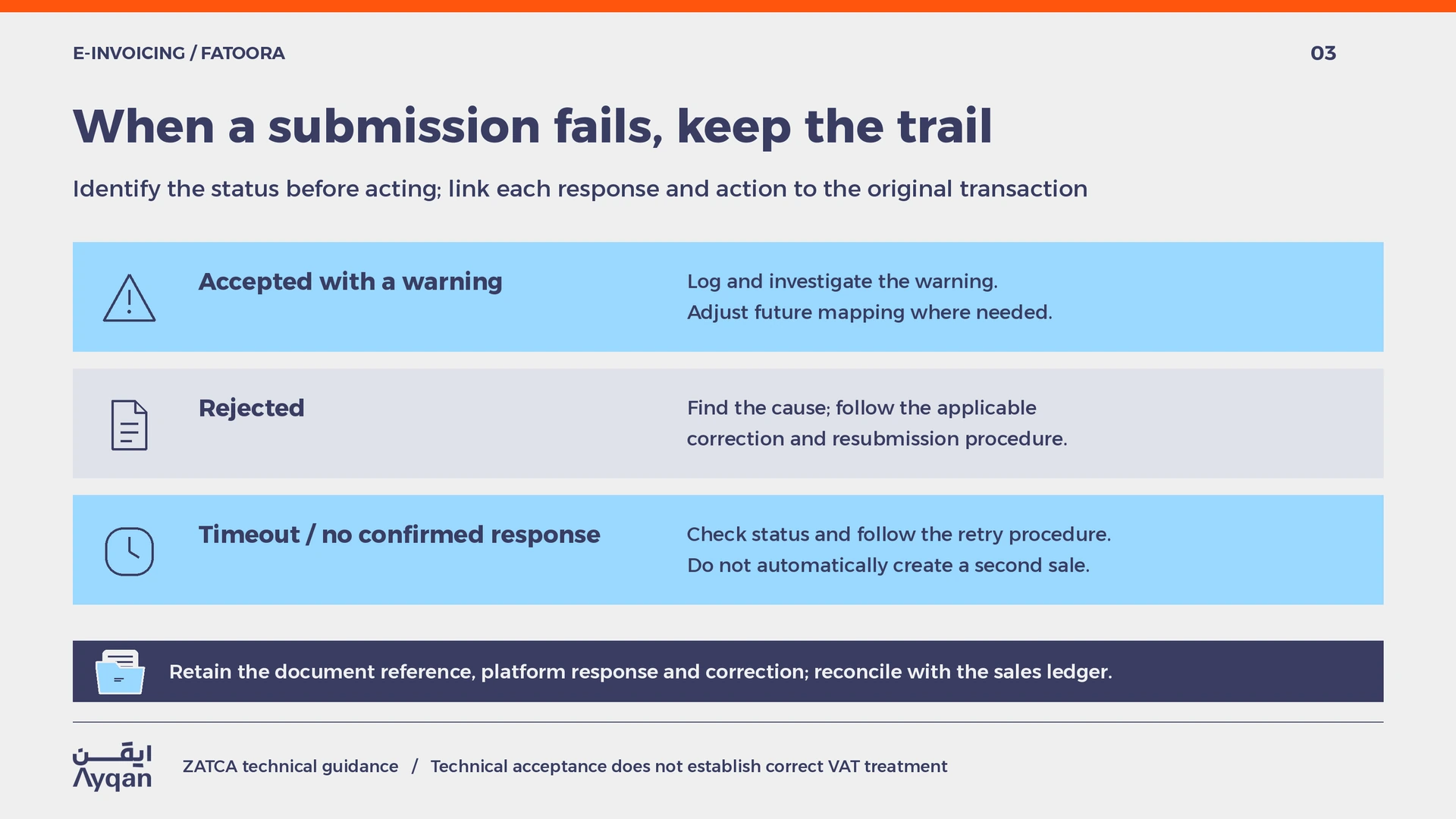
A validation warning and a rejection require different responses. An accepted document with a warning should be logged and investigated, including whether the mapping should change for future documents. A rejected document needs the cause identified and the correct resubmission process for that document type. Keep the original response, the transaction reference and the corrected submission linked in the exception log. If a request times out, check its status and use the prescribed retry procedure rather than automatically creating a second sale. [3, 5]
An actual price reduction or return after issue is a different event from a validation error. If the transaction calls for a credit or debit note, reference the original invoice, route the note through clearance or reporting as applicable, and reconcile the adjustment in the accounting records. For example, when a consumer returns one item from a reported purchase, a refund receipt alone does not complete the tax adjustment. Generate the applicable simplified credit note and check that it is reported. [3, 5]
Where a technical incident prevents generation of invoices or notes, use ZATCA’s failure notification service and inform the authority when the issue is resolved. Preserve transaction records and handle the affected documents promptly after restoration under the applicable procedures. Document the start and end of the incident, affected sales and units, attempts to submit, any notices and the final resolution. Check the guidance for the particular failure: an inability to generate documents, a connectivity issue and a ZATCA service interruption do not necessarily call for the same response. [3, 5, 6]
Maintain evidence that finance can reconcile
Reconcile the sales ledger to the documents generated and the results returned by Fatoora. Investigate gaps, duplicates and late reports. Retain the structured files, associated notes and response records in a form the business can retrieve independently of an individual employee or vendor account. Test retrieval periodically. Technical acceptance shows that a document passed the platform’s processing checks; it does not establish that the VAT rate, place of supply or exemption was legally correct. Assign those questions to the tax owner and document the decision separately. [3–5]
For a review of invoicing obligations, third-party billing arrangements or responses to a compliance issue, contact Ayqan.
Legal notice
This article provides general information on Saudi law and does not constitute legal or tax advice. Check the current ZATCA requirements and the notice issued to the relevant taxpayer before acting.